
WinWin Bet · Games
Open the WinWin Bet Game Lobby
Browse reels, crash games and live tables. Read the rules for the version you open before choosing a stake.

Find a Game and Check Its Rules
- How do I find a particular slot? Search for the full title in the casino lobby. Check the provider and game version on the card, then open the paytable to see symbols, payouts and bonus features.
- How do I compare two slots? Check the stake range, paytable and volatility where displayed. Volatility describes the pattern of payouts over many rounds. It does not predict the next spin.
- How do live casino tables work? Select a streamed table, read its rules and stake limits, then use the countdown to see when entries close for the round.
Games
Pick a format before picking a title
Start with the type of session you want and use the lobby categories to narrow the choice.
A game cover tells you its theme without explaining the mechanics or the stake range. Open the rules for the exact title and version displayed in your account.
When browsing, decide what you want to learn about the game before placing a stake. If you already know the name of a game, search for its full title and check the provider in the game details. Use categories when you want to browse what is currently listed.
Games
Read the total stake on a slot
Find the paytable, denomination and the full cost shown before starting a round.
A feature purchase or a different denomination can change the amount while leaving familiar symbols on screen. Check the final stake after changing a setting, feature or game.
Compare the amount with your budget instead of assuming the previous selection carries over. On a slot, inspect the controls before the first spin. Changing the denomination or buying a feature may change the total displayed for the round even if the screen looks similar.

Games
Use demos to learn the controls
If the title has a demo, try moving around the controls and reading the game information.
A demo can look like the paid version while keeping a different balance and stake context. Check the mode and stake when you leave the demo.
Treat its results as practice with the interface, not as a prediction of paid play. A demo can help you find the paytable, stake controls and exit button. When you open a real-money round, check the mode shown on screen and read the new stake amount.
| Format | What to read first | What to check before playing |
|---|---|---|
| Slots | Paytable and feature rules | Total stake and optional feature cost |
| Live tables | Table rules and limits | Round timing and accepted stake |
| Crash games | Round and cash-out rules | Stake controls and settlement |
| Sports | Market wording and event period | Selections, price and amount on the final slip |
Games
Find a live table that fits your pace
Look at the rules, table limits and betting window before joining a live round.
A video stream may freeze while the account still records an accepted stake. Check the round history if the picture stops before sending another action.
Use the recorded result when asking about a table round, rather than relying on the last frame you saw. Live table variants can use different side bets and table limits. Open the rules for the exact table you intend to join and check when the next betting window closes.
Games
Read the rules for crash-style rounds
Find the stake, round result and cash-out controls before choosing to join.
A sequence of previous rounds does not tell you how long the next round will last. Decide the amount before playing and leave it there after a loss.
Read how acceptance and settlement are recorded so you can check a round afterward. Before joining a crash-style game, read what happens when a cash-out request arrives late. Check the recorded round result if your connection drops during an action.
Games
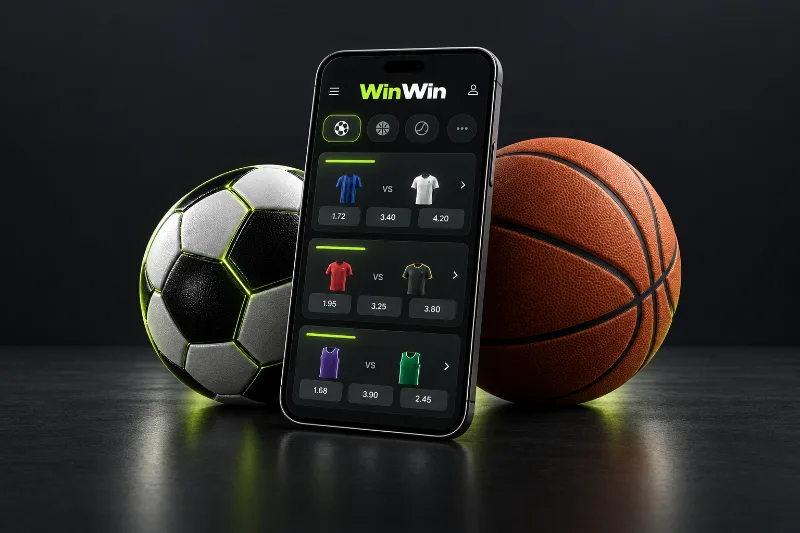
Check the market when switching to sports
Confirm the event, teams, time and period covered by the market before adding a selection.
A full-match bet and a bet on one period can settle under different rules. Read the final slip, including the accepted price and stake.
If a live price changes or the market pauses, check the updated slip before confirming. When moving from the casino to the sports section, verify the competition and event start time. On the slip, read the market wording and settlement period before confirming.

Games
Check eligibility separately from availability
Find the game in the offer terms as well as in the live lobby if you want it to count toward a promotion.
Two versions with similar names can be treated differently in the eligible-game list. Use the exact version and check the contribution rule before starting.
If an offer does not cover the game you came for, decide whether you still want the offer. An eligible game can still count at a reduced rate under some bonus terms. Look for both the contribution rate and any maximum stake on the offer before starting a round.

Games
Read the round record when something looks wrong
Check the time, stake, settlement and reference for the round you are asking about.
A balance total by itself may not explain whether a game action was accepted. Use the round record before repeating an action after a connection issue.
Keep the details together for support and finish the session when you reach your chosen limit. If a round settles differently from what you expected, check the game version and round identifier in your history. Use those details when asking support to review the result.